
GHL VSL Funnel Setup: Step-by-Step for Coaches (2026)
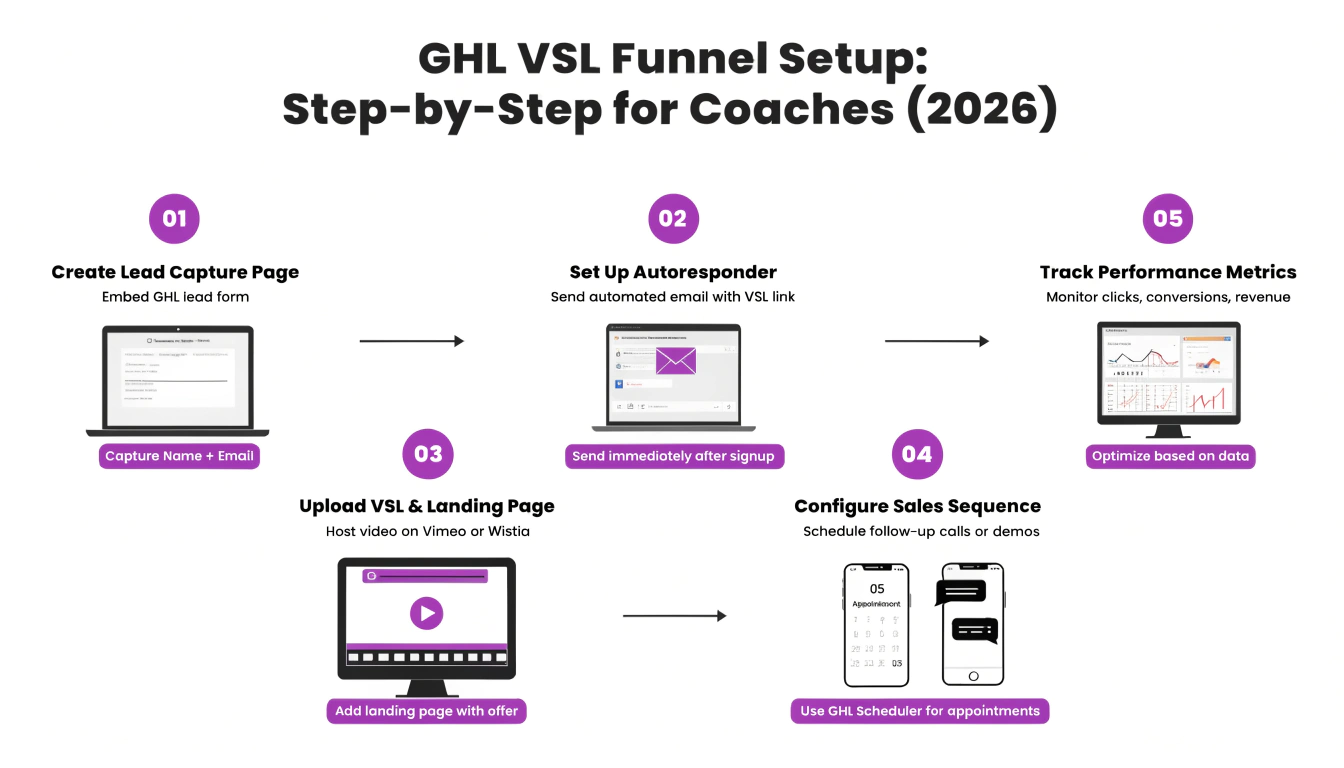
| A GHL VSL funnel is a single-page sales funnel built around a video sales letter, where the video does the selling and a delayed CTA reveals after the pitch lands. Setup in GoHighLevel takes 9 steps: (1) create a single-page funnel, (2) add a clean hero with a curiosity headline, (3) embed the video using a privacy-friendly host like Wistia or Vimeo (not YouTube), (4) add CSS to remove player distractions, (5) hide the CTA initially and reveal it via JavaScript after the pitch point, (6) add a single primary CTA below the video, (7) include 3–5 short testimonials, (8) add a sticky mobile CTA, and (9) wire the calendar booking or order form. Most coaches can build it in 4–6 hours and see 4–8% conversion rates on warm traffic. |
What Is a GHL VSL Funnel?
A GHL VSL funnel is a single-page sales funnel built in GoHighLevel where a video sales letter (VSL) carries the entire pitch, and the page is designed to keep the viewer focused on the video until the call-to-action appears. VSL stands for “video sales letter” — the modern format pioneered by direct-response marketers where a 15–60 minute video replaces a long-form written sales page.
In our experience working with 100+ coaches at ghlcss.com, VSL funnels convert 2–3x better than written sales pages for coaching offers in the $500–$10,000 range — but only when the page is built correctly. The most common reason VSL funnels underperform is over-design: too many sections, too many CTAs, too many distractions surrounding the video. A VSL page’s entire job is to keep the viewer watching.
| Want this built for you? Our GHL Full Funnel Design service includes VSL funnel setup with the exact 9-step structure below — flat $497, delivered in 7–10 days. |
When a VSL Funnel Is the Right Choice (and When It Isn’t)
A VSL funnel isn’t universally better than other funnel types. It’s the right choice when specific conditions are met:
VSL funnel is the right choice when:
VSL funnel is the wrong choice when:
Step 1: Create the Single-Page Funnel in GHL
A VSL funnel is just one page. Don’t build a multi-step funnel — the video is the funnel.
The single-page structure matters: every extra page adds drop-off. A VSL page either converts the viewer or doesn’t — there’s no “nurture” step needed because the video is the nurture.
Step 2: Build the Clean Hero
The hero of a VSL funnel is unusual: it should make the viewer want to watch the video, then get out of the way. Three elements only:
Do not include navigation, multiple CTAs above the fold, social proof bars, or anything that competes with the video for attention. The viewer’s next action should always be “press play.”
Step 3: Choose the Right Video Host (Wistia, Vimeo, YouTube)
The video host you choose meaningfully affects conversion. Here’s how the three main options compare for VSL use:
| Host | Pros for VSL | Cons | Best for |
| Wistia | No “related videos,” analytics, professional look, custom thumbnails | Costs $25–$99/month after free tier | Coaches selling $1,000+ offers |
| Vimeo Pro | Clean player, privacy controls, embed restrictions, no ads | Costs $20/month minimum | Coaches on a budget who want a clean player |
| YouTube (unlisted) | Free, familiar, fast loading | Shows YouTube branding, suggests other videos at end, looks less premium | Pre-launch testing only — not for live VSLs |
| Loom | Fastest to set up, free tier | Loom branding visible, not built for embedding | Quick prototypes, not production VSLs |
Our recommendation: Wistia for established coaches, Vimeo Pro for newer coaches on a budget. Never use YouTube for a live VSL — the “suggested videos” at the end of YouTube embeds literally send viewers to your competitors.
Step 4: Embed the Video and Remove Distractions with CSS
Embed the video as a Custom HTML block in GHL using the embed code from Wistia or Vimeo. Then apply CSS to remove distractions and keep the focus on the video.
Paste this CSS into GHL → Sites → Funnels → your funnel → Settings → Custom CSS:
| /* VSL container — clean, focused, max-width centered */ .vsl-container { max-width: 880px; margin: 30px auto 40px; border-radius: 12px; overflow: hidden; box-shadow: 0 18px 50px rgba(0,0,0,0.18); aspect-ratio: 16 / 9; background: #000; } /* Full-width video inside container */ .vsl-container iframe, .vsl-container video { width: 100%; height: 100%; border: none; display: block; } /* Hide GHL elements that compete with the video for attention */ .ghl-nav, .ghl-header, .ghl-footer { display: none !important; } |
The aspect-ratio: 16/9 rule ensures the video scales correctly on every screen size. The shadow and rounded corners make the player feel premium without distracting from the content. If a CSS rule isn’t applying, check our GHL CSS selectors guide for selector help.
Step 5: Hide the CTA Initially with Delayed Reveal
This is the single highest-impact technique in VSL setup. Hide your call-to-action button until the pitch point in the video (typically 8–15 minutes in), then reveal it. Viewers who see the CTA immediately scroll down, miss the pitch, and don’t buy. Viewers who watch through the pitch are 3–4x more likely to convert.
The simplest implementation uses CSS to hide the CTA initially, then JavaScript to reveal it after a delay. Paste this into a Custom HTML block on the page:
| <!– Hidden by default, revealed by script below –> <div class=”vsl-cta” style=”display: none;”> <a href=”/book” class=”vsl-cta-button”>Book Your Strategy Call</a> </div> <script> // Reveal CTA after 8 minutes (480 seconds) // Adjust the number to match your video’s pitch point setTimeout(function() { var cta = document.querySelector(‘.vsl-cta’); if (cta) { cta.style.display = ‘block’; cta.style.animation = ‘fadeIn 1s ease-in’; } }, 480000); </script> <style> @keyframes fadeIn { from { opacity: 0; transform: translateY(20px); } to { opacity: 1; transform: translateY(0); } } </style> |
Change the 480000 (which is 8 minutes in milliseconds) to match where your pitch lands. For a 20-minute VSL with the offer at minute 14, use 840000. For a 12-minute VSL with the offer at minute 8, use 480000.
Note: GoHighLevel allows JavaScript inside Custom HTML blocks, but be careful not to break other scripts on the page. If the script doesn’t fire, check that the Custom HTML block is below the video container in the page structure.
| Don’t want to debug JavaScript? Our CSS Snippet Service includes the full delayed-CTA setup tested for your specific video length — just $47, delivered in 24 hours. |
Step 6: Add a Single Primary CTA Below the Video
When the CTA reveals, it should be the only thing on the page that competes with the video for attention. Style it confidently and place it directly below the video container.
| /* Single confident CTA below the video */ .vsl-cta-button { display: inline-block; background: #00B4A6; /* high-contrast accent */ color: #ffffff; font-size: 19px; font-weight: 600; letter-spacing: 0.3px; padding: 20px 48px; border-radius: 10px; text-decoration: none; box-shadow: 0 10px 26px rgba(0,180,166,0.32); transition: transform 0.15s ease; } .vsl-cta-button:hover { transform: translateY(-2px); } /* Wrapper to center the CTA */ .vsl-cta { text-align: center; margin: 40px auto; max-width: 880px; } |
Use verb-led button language: “Book Your Strategy Call” or “Get Instant Access” — not “Submit” or “Continue.” For more button conversion principles, see our GHL CSS button styling guide.
Step 7: Include 3–5 Short Testimonials
VSL pages need social proof, but less than you think. Three to five short testimonials below the CTA is the sweet spot. More than that and the page becomes a wall of text that pulls focus from the offer.
Each testimonial should be:
Style them as cards with light shadows. Place them only after the CTA — testimonials before the CTA distract from watching the video.
Step 8: Add a Sticky Mobile CTA
Over 60% of VSL traffic is mobile, and mobile viewers often pause the video and scroll around. A sticky mobile CTA bar makes sure the call-to-action stays accessible even if they drift away from the player.
| /* Sticky mobile CTA — appears only on phones, only after the delayed reveal */ .mobile-sticky-cta { display: none; /* hidden until JS reveals it */ position: fixed; bottom: 0; left: 0; right: 0; background: #ffffff; padding: 10px 16px; box-shadow: 0 -4px 18px rgba(0,0,0,0.12); z-index: 9999; } .mobile-sticky-cta a { display: block; background: #00B4A6; color: #ffffff; text-align: center; padding: 14px; border-radius: 8px; font-weight: 600; text-decoration: none; } @media (min-width: 769px) { .mobile-sticky-cta { display: none !important; } /* desktop hides it */ } /* Add bottom padding to body so sticky bar doesn’t cover content */ @media (max-width: 768px) { body { padding-bottom: 90px; } } |
Reveal this sticky bar with the same JavaScript timer you used for the main CTA — add a second document.querySelector(‘.mobile-sticky-cta’).style.display = ‘block’ line to the existing setTimeout function. For more mobile patterns, see our GHL funnel not mobile responsive guide.
Step 9: Wire the Booking or Order Form
The CTA button should lead to one of three things, depending on your offer:
| Offer type | CTA destination | Why |
| Coaching $500–$3,000 | Direct order form (Stripe checkout) | Low enough price to buy from video alone |
| Coaching $3,000–$10,000 | Calendar booking page | Needs a conversation to qualify and close |
| Course / membership | Order form with payment plan options | Removes price as primary objection |
| Cold or skeptical traffic | Free lead magnet first, VSL second | Warms them up before the pitch |
For coaching offers over $3,000, link the CTA to a styled GHL calendar booking page rather than a direct checkout. The phone call is where higher-ticket coaching closes.
Conversion Benchmarks for GHL VSL Funnels (2026)
Use these benchmarks to judge whether your VSL funnel is performing. These reflect ranges we see across coaching VSL funnels in 2026.
| Metric | Below average | Good | Excellent |
| Landing page → video play | Under 40% | 55–70% | 80%+ |
| Video play → watch through pitch point | Under 25% | 35–50% | 60%+ |
| Pitch reach → click CTA | Under 8% | 12–20% | 25%+ |
| Overall page → booking/purchase | Under 1.5% | 3–5% | 6–9% |
| Mobile bounce rate | Over 65% | 45–55% | Under 40% |
If your landing page-to-video play rate is under 40%, the hero is the problem — either the headline is wrong, or there’s too much distraction above the video. If your watch-through rate is low but play rate is good, the video itself needs work, not the page.
5 Mistakes That Kill VSL Conversion
Across the GHL VSL funnels we’ve audited, these five mistakes are the most common reason VSLs underperform:
The GHL VSL Funnel Checklist
Use this before launching.
| Launch item |
| Single-page funnel built in GHL (not multi-step) |
| Hero has one curiosity headline + one sub-line + video |
| Video hosted on Wistia or Vimeo Pro (NOT YouTube) |
| Video embedded with 16:9 aspect ratio and centered |
| CTA hidden initially via inline style display:none |
| JavaScript timer set to match your video’s pitch point |
| Primary CTA uses high-contrast color and verb-led copy |
| 3–5 testimonials placed below the CTA, not above |
| Mobile sticky CTA configured and tied to same JS timer |
| CTA links to correct destination (form, booking, or checkout) |
| Mobile tested on a real phone (not just DevTools) |
| Tracking pixels and GHL events set up for video plays + CTA clicks |
| FAQ schema + Article schema added in Rank Math |
Frequently Asked Questions
What is a VSL funnel in GoHighLevel?
A VSL funnel in GoHighLevel is a single-page sales funnel built around a video sales letter (VSL), where a 15–60 minute video carries the entire pitch and a delayed call-to-action appears after the pitch point. The page is designed to minimize distractions and keep the viewer focused on the video until the offer reveal.
How long should a VSL be for a coaching offer?
A VSL for a coaching offer should be 15–45 minutes long, depending on price point. Coaching offers $500–$2,000 work well with 15–25 minute VSLs. Coaching offers $2,000–$10,000 typically need 25–45 minutes to handle objections and build belief. Anything under 12 minutes feels too rushed for a $1,000+ offer; anything over 60 minutes loses too many viewers.
Should I use YouTube to host my GHL VSL?
No. You should not use YouTube for a live VSL on GoHighLevel because YouTube embeds show “suggested videos” at the end that literally send viewers to competitors. Use Wistia ($25–$99/month) or Vimeo Pro ($20/month) instead. YouTube is fine for pre-launch testing, but never for production VSLs.
When should the CTA appear on a VSL page?
The CTA on a VSL page should appear at the pitch point of your video — typically 60–75% of the way through. For a 20-minute VSL, that’s around minute 13–15. Showing the CTA immediately causes viewers to click before hearing the pitch, which drops conversion 2–4x. Use a JavaScript timer to delay the reveal.
How much does it cost to build a GHL VSL funnel?
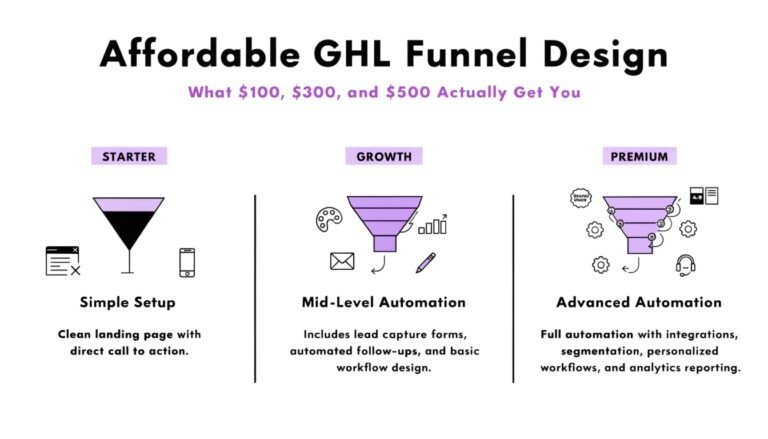
A GHL VSL funnel costs $47 for a single CSS fix on an existing setup, $197 for a complete CSS makeover of a VSL page, or $497 for a fully built VSL funnel with delayed CTA, video embed, mobile sticky bar, and booking integration. DIY costs only your time but typically takes 4–6 hours.
What conversion rate should a GHL VSL funnel get?
A GHL VSL funnel should convert 3–5% from page visit to booking or purchase on warm traffic in 2026. Excellent VSL funnels reach 6–9%. The biggest conversion drivers are landing-page-to-video-play rate (target 55–70%) and watch-through-to-pitch rate (target 35–50%). Cold traffic typically converts at 0.5–1.5%.
Can I use Loom for a GHL VSL?
You can use Loom for quick VSL prototypes but not for a production VSL. Loom shows its own branding by default and isn’t built for clean embedding on sales pages. The free Loom branding signals “this is a casual video,” which hurts conversion on a paid offer. Use Wistia or Vimeo Pro for live VSLs.
Conclusion: Let the Video Sell, Get the Page Out of the Way
A GHL VSL funnel succeeds when the page disappears and the video does the work. Build a single page, embed the video on a privacy-friendly host, hide the CTA until your pitch lands, add a sticky mobile bar, and keep social proof minimal. The mistakes that kill VSL conversion all share a theme: too much page, too many CTAs, too many distractions.
Follow the 9-step setup above, use the copy-paste CSS and delayed-CTA code, and benchmark against the 3–5% conversion target. If you’re not hitting that range within 2–3 weeks of warm traffic, the problem is usually the hero headline or the video itself — not the funnel structure.
| Want the VSL funnel built without the trial and error? Our GHL Full Funnel Design service builds your complete VSL funnel — hero, video embed, delayed CTA, mobile sticky, testimonials, booking wiring — in 7–10 days for a flat $497. Or start with a $47 CSS Snippet to add the delayed-CTA setup to your existing VSL page. |